How Spotter Works
From sign-up to weekly accountability in five steps. Here’s exactly what the experience looks like.
Sign up and set your profile
Create an account with your email. Set your name, username, and sex. Your sex determines who you can follow—men follow men, women follow women.
Sign-up screen
Create or join a group
You don’t need a church or organization. Create your own group and invite friends, or get an invite code from someone who already has one (a friend, small-group leader, etc.). Enter the code to join. You’ll automatically follow all same-sex members of your group.
Join group screen
Set your weekly workout goal
Choose between 2 and 6 workouts per week. This is your public commitment. Your group can see your goal and your progress against it all week long.
Goal setting screen
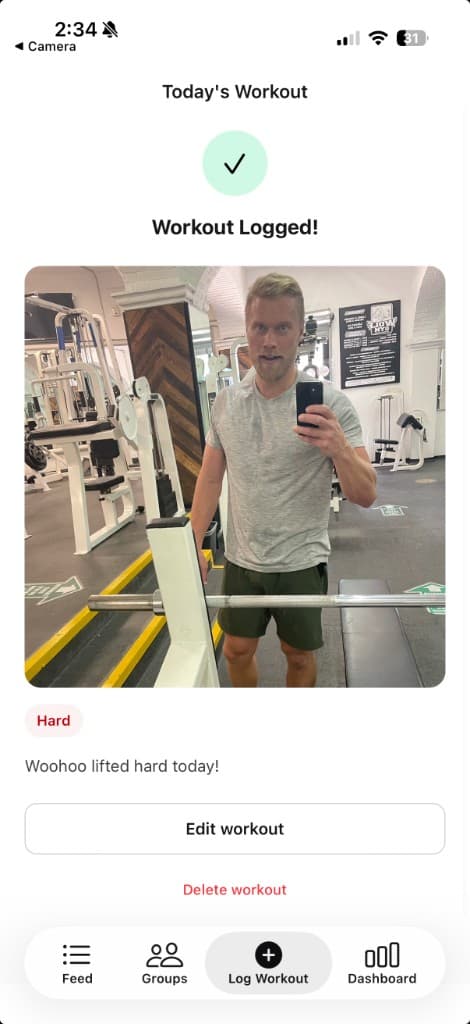
Post a photo after each workout
Take a photo or upload one from your camera roll. Add a caption and effort level if you want. One workout per day, max. Your photo appears in your followers’ feed.
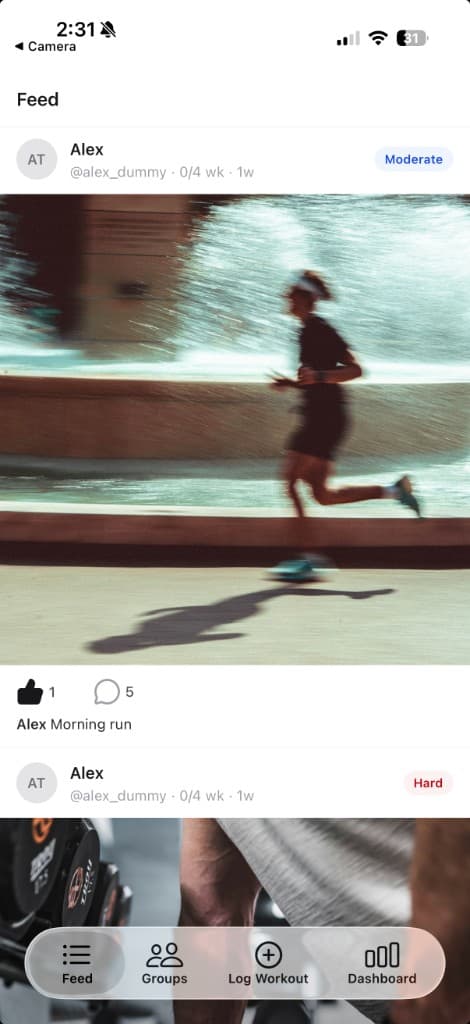
Watch your group’s feed and progress
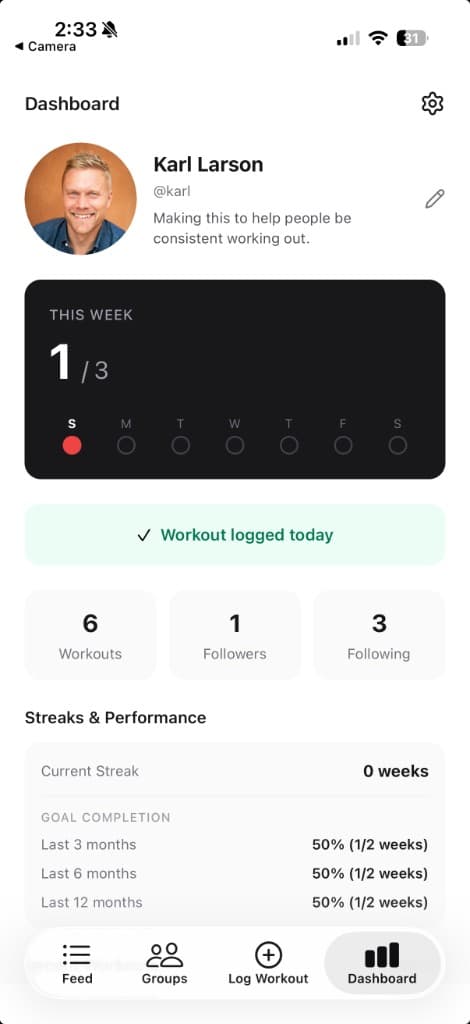
See your group members’ workouts as they happen throughout the week. Like and comment on their posts. Check the group dashboard to see everyone’s weekly status at a glance.
Frequently Asked Questions
Common questions from church leaders and group members.